

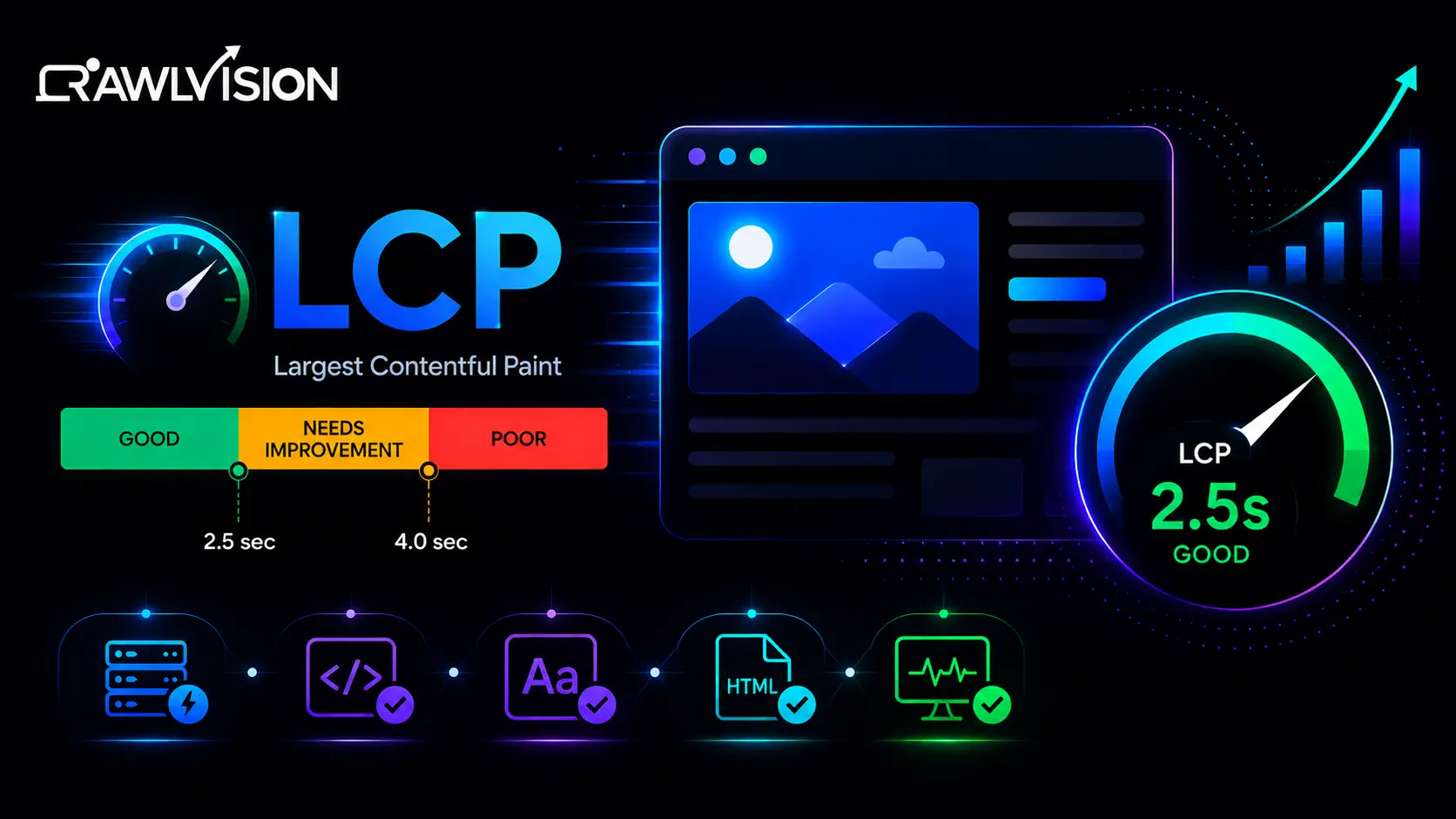
You can have exceptional content, a visually stunning website, and a strong SEO strategy, but if your visitors spend several seconds waiting for the page to load, none of that matters.
Today’s users expect instant experiences. They want webpages to appear quickly, respond immediately, and remain stable while they interact with them. That’s exactly why Google continues to emphasize Core Web Vitals as a key framework for measuring real-world user experience.
While much of the industry discussion in recent years has focused on the introduction of Interaction to Next Paint (INP), Largest Contentful Paint (LCP) remains one of the most important performance metrics in Google’s Core Web Vitals framework. In fact, many websites that perform well in search still struggle to achieve a consistently good LCP score across mobile devices.
The challenge is that LCP optimization is no longer as simple as compressing a few images or enabling caching. Modern websites rely on JavaScript frameworks, personalization engines, tracking scripts, AI-powered features, and increasingly complex user experiences. Every additional resource competing for attention can delay the moment users see the content they came for.
Understanding Largest Contentful Paint in Google’s Core Web Vitals Framework
Largest Contentful Paint measures the time it takes for the largest visible content element within the viewport to become fully rendered.
In simple terms, LCP answers a question every visitor subconsciously asks:
“When can I actually see the main content of this page?”
Google considers LCP one of the three Core Web Vitals alongside Interaction to Next Paint (INP) and Cumulative Layout Shift (CLS).
The Three Core Web Vitals in 2026
| Metric | Measures | Good Score |
|---|---|---|
| Largest Contentful Paint (LCP) | Loading performance | Under 2.5 seconds |
| Interaction to Next Paint (INP) | Responsiveness | Under 200 milliseconds |
| Cumulative Layout Shift (CLS) | Visual stability | Under 0.1 |
Together, these metrics help Google understand how users experience a website in the real world.
A page may load quickly but feel unresponsive when users click a button. Another page may respond instantly but shift content unexpectedly while loading. Core Web Vitals are designed to evaluate all aspects of the user experience, not just page speed.
Why Largest Contentful Paint Still Matters in 2026
One of the biggest misconceptions in the SEO industry is that Google has replaced LCP with INP.
That isn’t true.
Google replaced First Input Delay (FID) with Interaction to Next Paint (INP), but Largest Contentful Paint remains a core part of the Core Web Vitals framework.
In fact, LCP often serves as the first impression users have of your website.
Imagine clicking a search result and staring at a blank screen for four or five seconds before anything meaningful appears. Most users won’t wait. They’ll simply return to the search results and choose another website.
This behavior impacts more than just user satisfaction.
Poor LCP can contribute to:
- Higher bounce rates
- Reduced engagement
- Lower conversion rates
- Poorer mobile experiences
- Reduced trust in your brand
- Missed revenue opportunities
From an SEO perspective, Google continues to emphasize user experience signals as part of its broader ranking systems. While Core Web Vitals are only one piece of the puzzle, websites that consistently provide fast and reliable experiences have a clear competitive advantage.
What Actually Counts as the Largest Contentful Element?
Many website owners assume LCP always refers to an image. That’s not necessarily true. The browser identifies the largest visible element within the viewport and uses that element to calculate the LCP score.
Common examples include:
Hero Images
Large homepage banners are one of the most common LCP elements.
Featured Images
Blog posts often use featured images that become the largest visible element.
Product Images
Ecommerce pages frequently use product photography as the LCP element.
Background Images
Large background images loaded through CSS can also affect LCP.
Large Text Blocks
In some cases, a prominent headline or content section may become the largest rendered element. Understanding which element Google is measuring is the first step toward optimization. Many performance audits reveal that businesses spend time optimizing the wrong assets while the actual LCP element remains untouched.
Why Most Websites Still Fail Largest Contentful Paint
Despite years of awareness around Core Web Vitals, many websites continue to struggle with LCP. The reasons are surprisingly similar across industries.
Oversized Hero Images
Marketing teams naturally want websites to look impressive. The problem is that visual quality often comes at the expense of performance. A hero image uploaded at 4000 pixels wide may look fantastic on a large desktop monitor, but it forces browsers to download far more data than necessary. We’ve audited websites where a single homepage image exceeded 5 MB in size. In some cases, simply converting that image to AVIF reduced file size by more than 70% while maintaining visual quality.
Slow Server Response Times
Before a browser can display content, it must first receive a response from the server. If your server takes one or two seconds to respond, you’ve already lost valuable time before rendering even begins.
Common causes include:
- Poor hosting environments
- Lack of caching
- Unoptimized databases
- Excessive server-side processing
Excessive JavaScript
Modern websites often depend heavily on JavaScript. Unfortunately, browsers must download, parse, and execute these files before rendering important content. Large JavaScript bundles can significantly delay the appearance of the largest content element.
Too Many Third-Party Scripts
Many websites load:
- Analytics platforms
- Heatmap tools
- Live chat widgets
- Advertising scripts
- Marketing automation platforms
- A/B testing software
Individually, these scripts may seem harmless. Collectively, they can dramatically slow page rendering.
Render-Blocking CSS and Resources
When browsers encounter render-blocking resources, they often pause rendering until those files have been processed. The result is a slower LCP score and a worse user experience.
Largest Contentful Paint Optimization Best Practices for 2026
Now let’s focus on the strategies that consistently deliver measurable improvements.
1. Prioritize the LCP Element Above Everything Else
The most successful optimization projects start by identifying the exact element responsible for LCP. Once identified, every effort should focus on delivering that element as quickly as possible.
Ask yourself:
- Can it load earlier?
- Can it be smaller?
- Can it be preloaded?
- Can competing resources be delayed?
Many websites waste resources optimizing assets that have little impact on actual user perception. Focus on what users see first.
2. Optimize Hero Images Using Modern Formats
If your hero image is your LCP element, it deserves special attention. In 2026, AVIF has become the preferred image format for performance-focused websites because it provides significantly better compression than older formats.
Best practices include:
- Use AVIF where supported
- Offer WebP fallbacks
- Serve responsive image sizes
- Compress images aggressively
- Avoid oversized dimensions
The goal is simple: deliver the highest visual quality with the smallest possible file size.
3. Preload Critical LCP Resources
Browsers prioritize resources based on discovery. Preloading allows you to tell browsers which assets matter most. For example, if your hero image is the LCP element, preloading it can help browsers fetch it earlier in the loading process. This often results in noticeable improvements, especially on mobile devices.
4. Improve Time to First Byte (TTFB)
LCP optimization often starts with infrastructure rather than frontend development.
Improving TTFB can involve:
- Faster hosting
- Edge caching
- Content delivery networks
- Database optimization
- Full-page caching
If your server responds slowly, every subsequent optimization becomes less effective.
5. Remove Render-Blocking Resources
Not every CSS or JavaScript file needs to load immediately. Critical resources should load first. Non-essential resources can be deferred until after the primary content becomes visible. This allows browsers to render meaningful content sooner, improving both perceived and measured performance.
6. Reduce JavaScript Execution Time
A common mistake businesses make is focusing only on image optimization while ignoring JavaScript.
Modern websites often load multiple plugins, tracking tools, animations, and third-party integrations that compete for browser resources. Even if these scripts don’t directly affect your LCP element, they can delay rendering and increase overall page load times.
Start by auditing unnecessary JavaScript and removing anything that doesn’t contribute to the user experience. In many cases, reducing JavaScript execution can improve both Largest Contentful Paint and Interaction to Next Paint (INP).
7. Stop Lazy Loading Above-the-Fold Content
Lazy loading is a useful performance technique, but it can be harmful when used incorrectly. One of the most common issues we encounter during Core Web Vitals audits is websites lazy loading hero images, banners, or other above-the-fold elements. Since these elements are often responsible for LCP, delaying their loading can significantly worsen performance scores.
As a general rule, only lazy load content that appears below the fold. Anything users see immediately should load as quickly as possible.
8. Optimize Font Delivery
Fonts are often overlooked during performance optimization. Custom fonts can delay rendering if browsers are forced to wait before displaying text. This creates a poor user experience and may indirectly impact perceived loading speed.
To improve performance:
- Use modern font formats
- Limit unnecessary font weights
- Preload important fonts
- Implement font-display: swap
These small changes can make content appear faster without affecting design quality.
The Relationship Between LCP, INP, and CLS
Many website owners focus exclusively on LCP because it is easier to measure and understand. However, Google’s Core Web Vitals framework evaluates user experience as a whole.
For example, a page might achieve an excellent LCP score but still fail Core Web Vitals because it has:
- Poor responsiveness (INP)
- Layout shifts (CLS)
- Slow interactions
Think of Core Web Vitals as a three-part system:
- LCP measures how quickly users see content.
- INP measures how quickly users can interact with content.
- CLS measures how stable content remains while loading.
The best-performing websites optimize all three metrics together rather than treating them as separate projects.
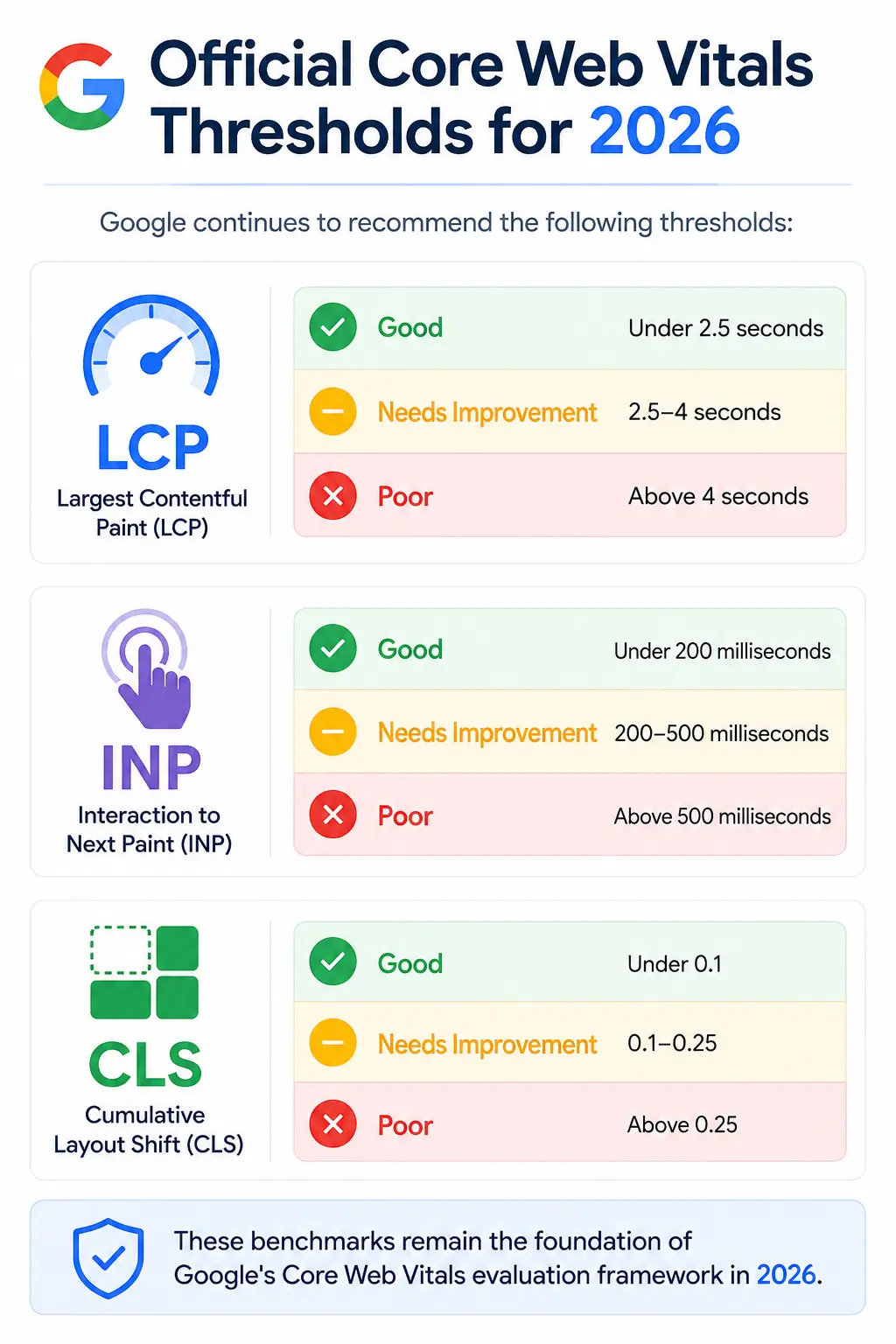
Official Core Web Vitals Thresholds for 2026
Google continues to recommend the following thresholds:
Largest Contentful Paint (LCP)
- Good: Under 2.5 seconds
- Needs Improvement: 2.5–4 seconds
- Poor: Above 4 seconds
Interaction to Next Paint (INP)
- Good: Under 200 milliseconds
- Needs Improvement: 200–500 milliseconds
- Poor: Above 500 milliseconds
Cumulative Layout Shift (CLS)
- Good: Under 0.1
- Needs Improvement: 0.1–0.25
- Poor: Above 0.25
These benchmarks remain the foundation of Google’s Core Web Vitals evaluation framework in 2026.
Advanced LCP Optimization Techniques for 2026
For websites already following standard optimization practices, several advanced techniques can provide additional gains.
Edge Rendering
Serving content closer to users through edge networks reduces latency and improves loading performance across global audiences.
Partial Hydration
Modern frameworks increasingly use partial hydration to reduce the amount of JavaScript executed during initial page load.
Speculation Rules API
New browser technologies can predict likely user navigation paths and preload resources before users click, improving perceived speed.
AI-Powered Performance Optimization
Some enterprise performance platforms now use machine learning to prioritize resources dynamically based on user behavior and device conditions.
While not essential for every website, these technologies represent the next stage of performance optimization.
Largest Contentful Paint Optimization Checklist
Before publishing or redesigning a page, review the following checklist:
✔ Identify the actual LCP element
✔ Compress and optimize hero images
✔ Use AVIF or WebP image formats
✔ Improve server response time
✔ Enable CDN delivery
✔ Preload critical resources
✔ Remove render-blocking CSS and JavaScript
✔ Reduce unused JavaScript
✔ Avoid lazy loading above-the-fold content
✔ Optimize font loading
✔ Minimize third-party scripts
✔ Monitor real-user performance data
Following these steps can significantly improve both Core Web Vitals scores and user experience.
Final Thoughts
Largest Contentful Paint optimization is no longer just a technical exercise for developers. It has become a critical part of SEO, user experience, and conversion optimization.
The websites that perform best in 2026 aren’t necessarily the ones with the most content or the most advanced designs. They’re the websites that deliver meaningful content quickly, respond smoothly to user interactions, and provide a stable browsing experience from the moment a visitor lands on the page. By focusing on your LCP element, improving server performance, reducing unnecessary resources, and following Core Web Vitals best practices, you can create a faster website that benefits both users and search visibility.
Remember, every second saved during page load is an opportunity to keep visitors engaged, build trust, and increase conversions.

